Examples
Three small projects in the repository's examples folder, made with ZeyoCut's own tools from art and sounds that ZeyoCut draws and generates itself. For a video of your own, the talking-head cleanup steps cut the pauses, add captions and export it.
| Project | What it shows |
|---|---|
tora-jump |
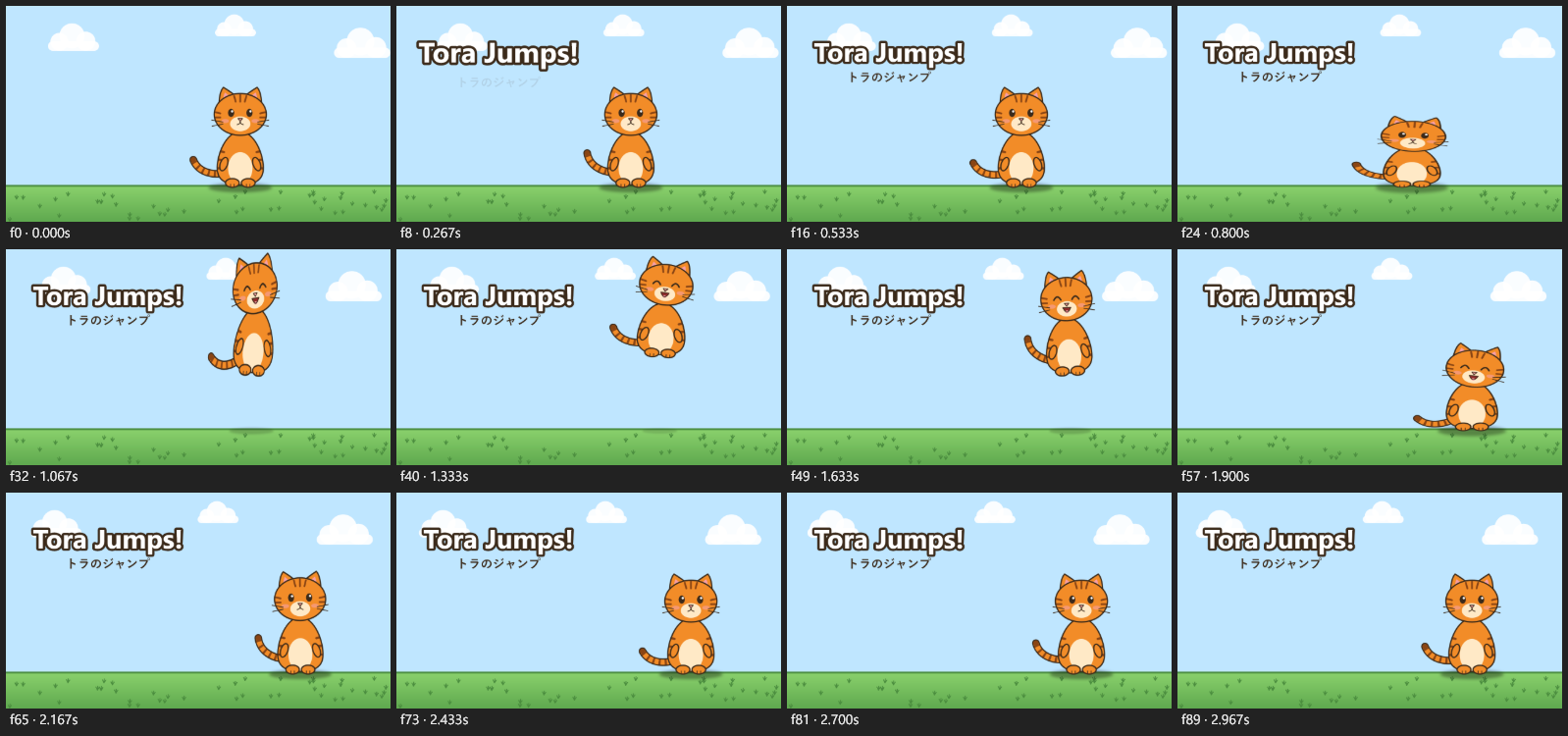
A cutout character rig: squash and stretch, easing, a drawing swap, a lagging head and a wagging tail, sound effects, and a Japanese subtitle |
tora-and-mimi |
A rig and an action from the library: two copies of one character, each playing the same jump at its own time and speed, with a title in English, Japanese and Burmese versions |
comic-panels |
A comic-panel video: panels with zooms and a pan, a crossfade and a slide, sound effects, and caption tracks in three languages |
Open one
Download the repository (or its zip) and copy an example into your projects folder:
New-Item -ItemType Directory -Force "$env:USERPROFILE\ZeyoCut\projects" | Out-Null
Copy-Item -Recurse examples\tora-jump "$env:USERPROFILE\ZeyoCut\projects\"
Then ask:
Open the ZeyoCut project tora-jump and show me a contact sheet.
The prompts
Each example could come from a prompt like these. The examples README also lists the tool calls that built each one.
tora-jump
Create a ZeyoCut project "tora-jump", 1280x720, 3 seconds, sky blue. Make a cat from body.png, head.png, head_happy.png and tail.png: the head parented at the neck with a normal and a happy drawing, the tail at the back. Make it jump with squash before takeoff, stretch in the air and an easeOutBack landing; the head lags behind the body, the face turns happy in the air, and the tail wags. Add a boing at takeoff, a thud at landing, and the title "Tora Jumps!" over the subtitle "トラのジャンプ". Show me a contact sheet with debug on.
tora-and-mimi
Open tora-jump. Save Tora as a rig called tora, and the jump from 0.5 to 2.4 seconds as an action called jump. Then make a 4-second project "tora-and-mimi" with the same sky, clouds and ground. Put Tora on the left and a gray copy, Mimi, on the right. Tora jumps at 0.2 seconds and Mimi at 1.3 seconds, a little faster. Add the title "Hello!" in English, "こんにちは!" in Japanese and "မင်္ဂလာပါ" in Burmese, and show me each version at 1.6 seconds.
comic-panels
Make a 9-second comic video from panel1.png, panel2.png and panel3.png, 3 seconds each, on a dark background. Zoom slowly into the first, pan across the second and zoom out of the last. Crossfade into the second panel and slide into the third. Add a boing when Tora jumps and a thud when he lands, and captions in English, Japanese and Burmese, each as its own track.
Talking-head cleanup
This one has no project folder: it needs a video of someone talking, and the repository keeps video files out. Use a clip of your own. Put it in your Videos folder (or another import folder) and pick ZeyoCut's talking_head_cleanup prompt with the video's path. In Claude Code, that's a slash command:
/mcp__zeyocut__talking_head_cleanup C:\Users\you\Videos\talk.mp4
Other clients that support MCP prompts show it in their own way, often in a menu. Or ask in your own words:
Clean up Videos\talk.mp4: cut the pauses with punch-in zooms, add captions, check the loudness, and export it for YouTube and as a Short.
The prompt takes the model through these steps:
create_projectwith theyoutube_1080ppreset, thenimport_videoandadd_video_layer.analyze_videofinds the silences and, with whisper, transcribes the words. Without whisper there are no captions.remove_silencesas a dry run. The model stops here and tells you how many pauses it would cut and how much shorter the video gets; go ahead, or keep more of the pauses.remove_silenceswithpunchIn: every second piece is zoomed in a little, which hides the jump cuts. Filler words can go too, withcut_by_transcript.generate_captions, thenrender_contact_sheetto look at the cuts, the punch-ins and the captions.audio_levelschecks the loudness (exports are normalized to -14 LUFS), andcheck_projectandframe_difflook for mistakes.export_batchwithyoutube_1080pandshorts_1080p: a 16:9 video, and a 9:16 one with the whole picture over a blurred copy of itself.
For a Short cropped to the speaker instead, ask for one: reframe_to_vertical keeps the speaker in the frame. The guide shows the whole prompt.